Purpose built for the modern era. Supercharge your analytics with AI whether you are a solopreneur, data person or a software engineer.
Canvas
Simplified analytics workflow
The number of hops to create a dashboard is now lower than ever before. No need to have multiple tabs open, moving between searching charts, editing charts, editing queries, and creating dashboards.
Canvas with Notebook and Dashboard View
Use the notebook view of the canvas to experiment with data, provide reasoning, and create the final charts to be shown. Use the dashboard view to show the final charts for the analytics. Keep the work behind the dashboard along with the final dashboard in one place so that they can be edited together and won't be lost in the sea of information.
Chart Cells in Notebook
Create different type of charts right in one place without the need to keep open different tabs, searching for dataset to be edited, or for other charts to be displayed in the same dashboard. Charts are now just cells in a notebook.
SQL Cells in Notebook
Run SQL queries against different connections in a single notebook. View the results as nicely designed tables which can be searched, sorted, expanded and collapsed.
Dashboard from Chart cells in Notebook
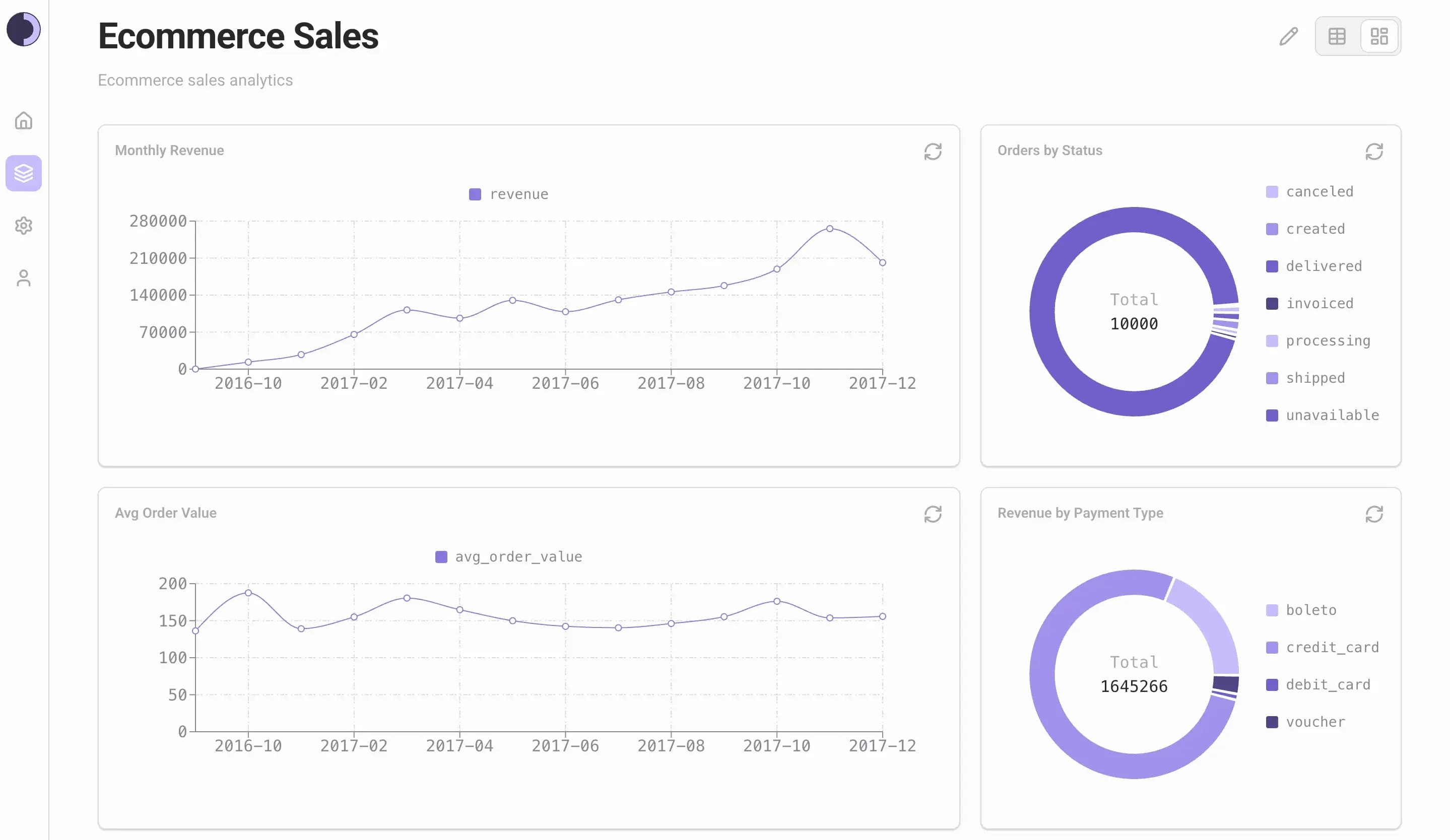
Drag and drop the Chart cells of the notebook to the dashboard to create the final dashboard. Charts in the dashboard are refreshable, resizable, and draggable.
AI Native
AI at the core
AI based features are baked into all possible flows for analytics. Agents will answer questions about charts, build dashboards and perform research on data issues.
Questions and Answers
Ask agents questions on data, charts, and dashboards.
Dashboard Building
Use the agent to build dashboard for an objective with the best chart selection and chart layouts. No more dragging and dropping charts.
Research
Deep dive into data issues, anomalies, missing data, malformed data using agents custom built for analytical research.
BYOAI
Integrate to any LLM provider of your choice by bringing your own AI from Ollama to Azure AI Foundry. No vendor lock-in.
Connections
Connect to wherever your data resides
Connect to different data sources with state-of-the-art security practices for analytics.
Secure
Follows the best practices like encrypting data in transit, using read-only access and encrypting connection credentials so your data is always secure.
Variety
Connect to a variety of data sources like databases, APIs and uploaded CSVs.
Management
Add, modify, view and delete connections in a dedicated Connections tab.
Security
Secure by design
Security is no more a vague after thought. Sopho is built with security best practices from scratch so that users can have the peace of mind with all the security features.
Column and Row level security
No more custom hacks for enabling column and row level security. Restrict your data as best as possible without any hinderances now.
Security enforced during agentic analytics
Using agents won't skip the authorization checks. Enforce security best practices with agentic analytics.
Audit log
Find out who, what, and when of users working with Sopho. This includes auditing for what agents are doing.